
At a Glance
- Prolonged sitting increases risks of type 2 diabetes, stroke, and heart disease
- Adjustable armrests, monitor height, and lumbar support are critical for proper posture
- A 40-minute daily walk can counteract sedentary lifestyle effects
- Why it matters: Poor desk ergonomics cause chronic pain and long-term health issues
Poor desk ergonomics aren’t just uncomfortable-they’re causing chronic pain and long-term health problems. From tech neck to carpal tunnel syndrome, the way we sit at our desks daily impacts our bodies in ways most people don’t realize.
The Health Risks of Sitting All Day

Sitting for extended periods poses serious health risks regardless of chair quality. Research shows prolonged sitting increases the risk of type 2 diabetes, stroke, and heart disease. The most effective solution isn’t finding the perfect chair-it’s moving regularly.
Health experts recommend getting up every 30 minutes. A recent study found that a 40-minute walk daily can significantly counteract effects of a sedentary lifestyle. Most smartwatches now include movement reminders to encourage regular stretching and walking breaks.
Essential Desk Setup Guidelines
Proper desk ergonomics start with correct positioning. Your chair’s armrests should be adjustable, allowing your palms to hover slightly over your desk at elbow level. Keep wrists straight-if the bottom of your palm rests on the desk, you’re putting excessive pressure on nerves, potentially causing carpal tunnel syndrome.
Monitor positioning is equally crucial. When looking forward, your eyes should align with the top of your monitor or laptop screen. This may require adjusting chair height, using a laptop stand, or raising monitor height to prevent neck and spine strain.
What to Look for in an Office Chair
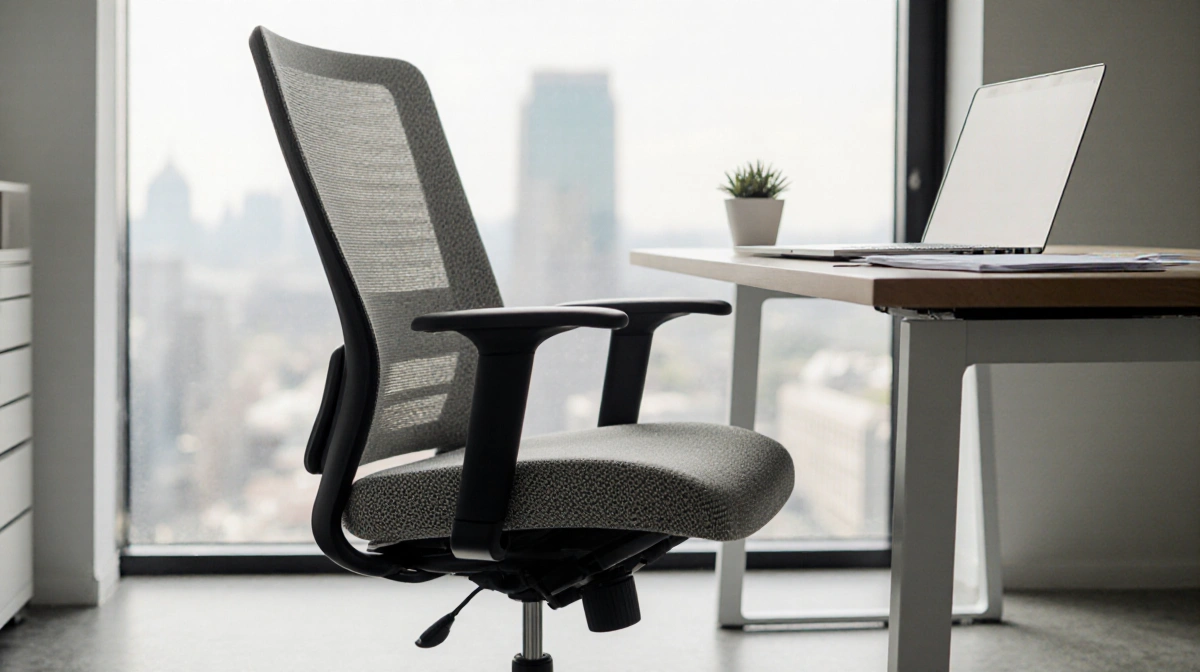
The most adjustable chairs offer the best ergonomic potential. Key adjustable features include:
- Armrests: Look for 4D or 5D adjustable options that move side-to-side, up-and-down, forward-and-back
- Seat height: Ensure the chair accommodates your desk height with feet planted at 90-100 degree angles
- Seat depth: Critical for taller individuals-maintain 1-2 inches between seat front and back of knees
- Lumbar support: Should align with your spine’s natural curve, adjustable in height and depth
Testing chairs requires time. Caleb R. Anderson spends minimum two weeks testing each chair, adjusting for 6’4″ height preferences and having a 5’1″ tester provide additional feedback. Research includes warranty terms, customer service quality, and company reliability.
Chair Selection Process
News Of Fort Worth selects chairs for review by monitoring the market for new releases from both newcomers and established brands like Herman Miller. The publication requests products from companies without promising editorial coverage, maintaining editorial independence. While News Of Fort Worth earns affiliate revenue from purchases, this doesn’t influence selection decisions.
Notable chairs missing from testing include the Steelcase Leap, though Caleb R. Anderson plans future evaluations of top market options. After testing, most chairs are donated to local Goodwill, with top recommendations kept for reevaluation and comparison.
Chair Accessories That Make a Difference
Caster Wheels: Replace standard casters with smooth-rolling options like Stealtho’s polyurethane wheels that won’t scratch hardwood floors. Be aware that frictionless casters may cause chairs to roll when standing.
Seat Cushions: Memory foam cushions like CushionLab’s seat cushion can transform uncomfortable chairs, though they add height that may affect typing ergonomics.
Lumbar Support: Affordable memory foam pillows like LoveHome’s lumbar support provide posture correction for under $30, working in cars or wheelchairs too.
Footrests: Secretlab’s Premium Footrest offers comfortable foot elevation with easy-clean quilted fabric covers and non-slip bases.
Key Takeaways
Proper desk ergonomics require more than just buying an expensive chair. Focus on adjustability, particularly in armrests, seat height, and lumbar support. Most importantly, move regularly-no chair can eliminate the health risks of prolonged sitting. If experiencing pain, consult a physician rather than relying solely on ergonomic solutions.